> ## Documentation Index
> Fetch the complete documentation index at: https://docs.cloudglue.dev/llms.txt
> Use this file to discover all available pages before exploring further.
# Local Files
> Add video files directly from your computer
Add video files (MP4, MOV, WEBM) directly from your computer to a Cloudglue [collection](/core-concepts/entity-collection).
## Add on the dashboard
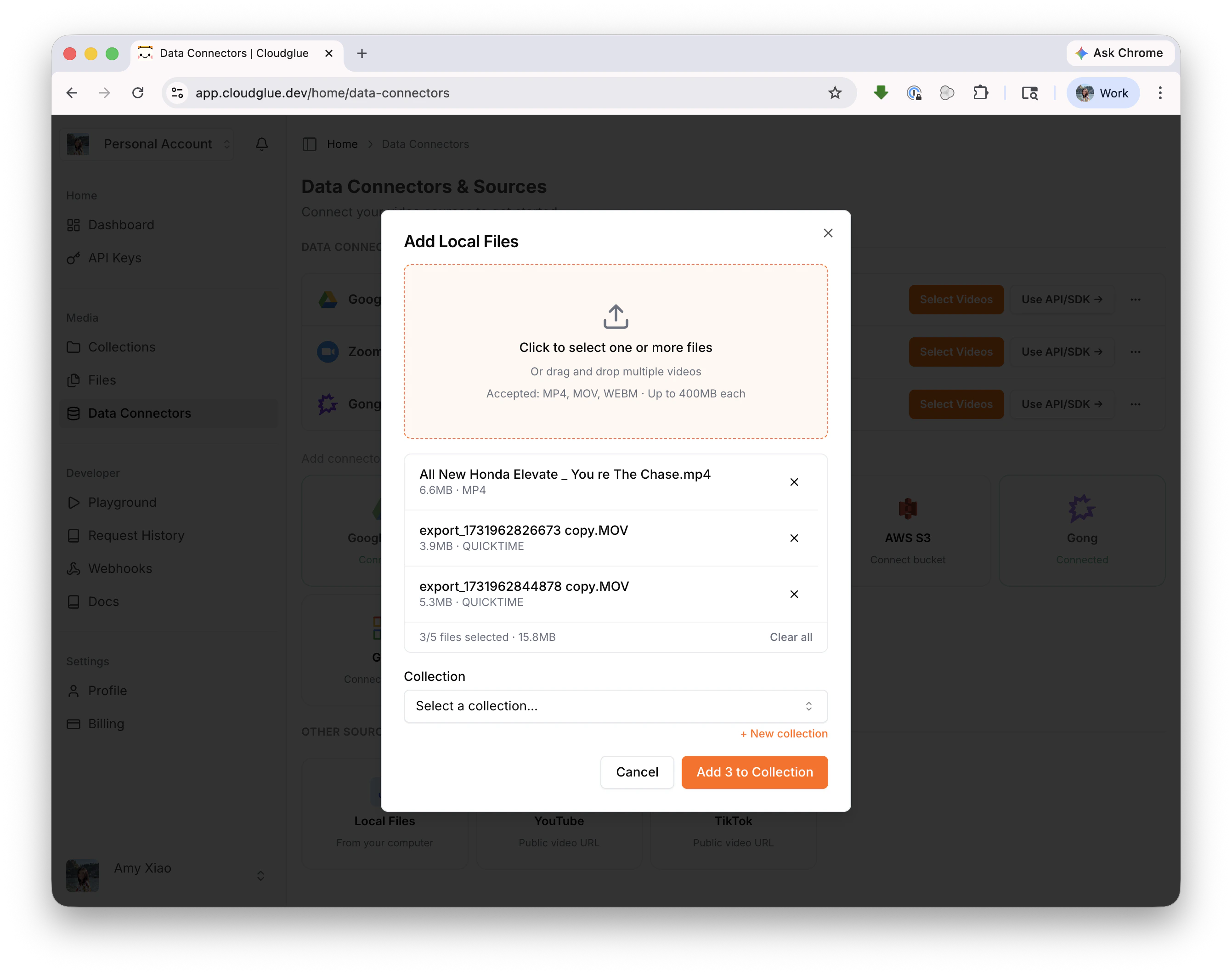
From the **Data Connectors** page, click **Local Files** under Other Sources. Select your files, pick a collection, and add them.
 ## Add with the API/SDK
```javascript theme={null}
import Cloudglue from '@cloudglue/cloudglue-js';
const client = new Cloudglue({ apiKey: 'YOUR_API_KEY' });
// Upload a file
const { data } = await client.files.uploadFile({ file });
// Add it to a collection
await client.collections.addVideo(collectionId, data.id);
```
See [Upload File](/api-reference/endpoint/files/post) and [Add Video to Collection](/api-reference/endpoint/collections/files-post) for the full API reference.
## Supported formats
* **MP4**, **MOV**, **WEBM**
* Up to 400MB per file
* Up to 5 files at a time via the dashboard
## For larger files or bulk imports
For bulk imports or files larger than 400MB, use a [data connector](/data-connectors/overview#data-connectors) or the [API/SDK](/api-reference/endpoint/files/post) directly.
## Add with the API/SDK
```javascript theme={null}
import Cloudglue from '@cloudglue/cloudglue-js';
const client = new Cloudglue({ apiKey: 'YOUR_API_KEY' });
// Upload a file
const { data } = await client.files.uploadFile({ file });
// Add it to a collection
await client.collections.addVideo(collectionId, data.id);
```
See [Upload File](/api-reference/endpoint/files/post) and [Add Video to Collection](/api-reference/endpoint/collections/files-post) for the full API reference.
## Supported formats
* **MP4**, **MOV**, **WEBM**
* Up to 400MB per file
* Up to 5 files at a time via the dashboard
## For larger files or bulk imports
For bulk imports or files larger than 400MB, use a [data connector](/data-connectors/overview#data-connectors) or the [API/SDK](/api-reference/endpoint/files/post) directly.